Cutoff dial
0 to 100%
Stand down anywhere from "run it flat" to "charger only". Change it without a password.
Your MacBook keeps downloading, building, backing up and answering remote connections with the lid shut, on battery or plugged in, then stands down at the battery level you choose.
One purchase, every Mac you use. Notarized by Apple. macOS 26 on Apple silicon.
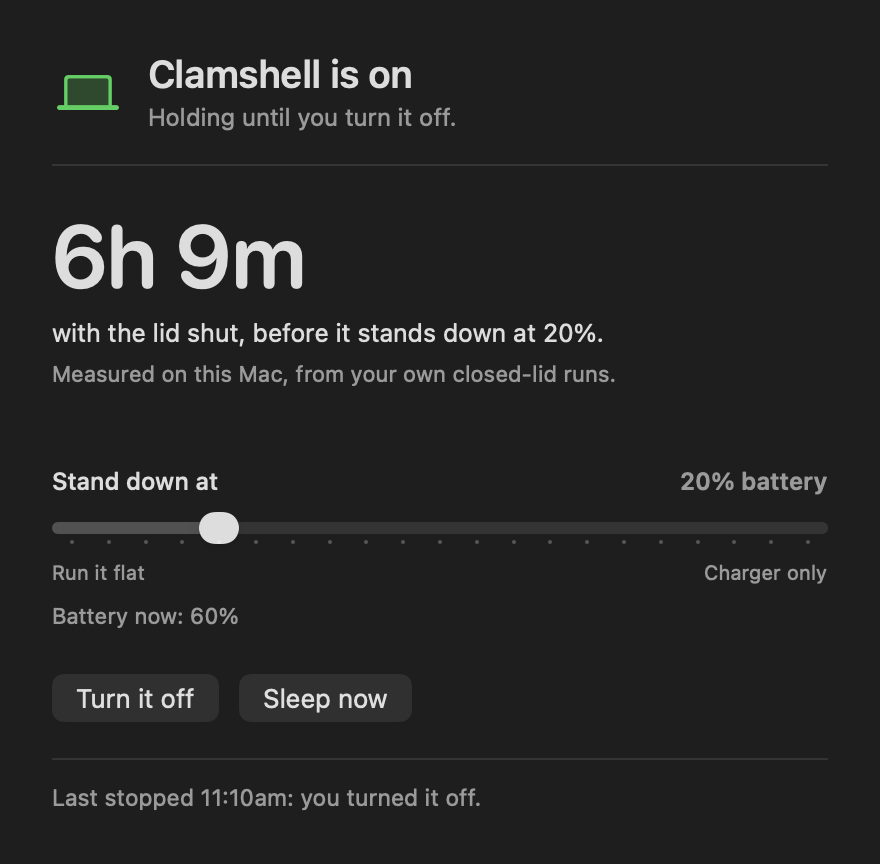
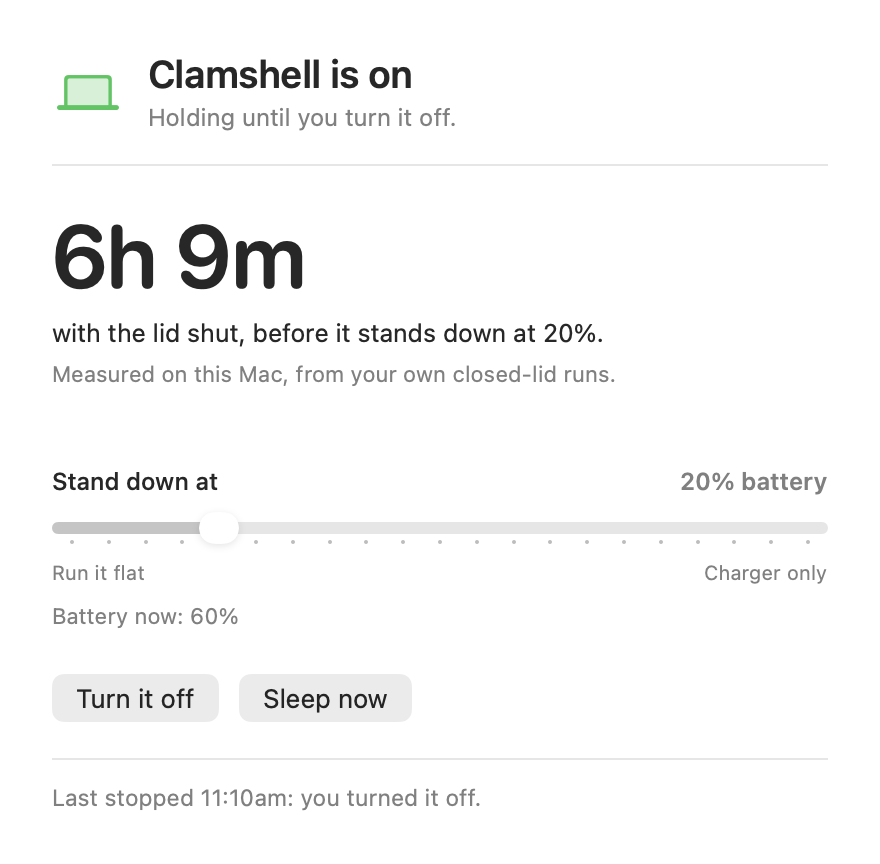
Clamshell learns how fast your own Mac drains with the lid closed and turns the cutoff into a time you can plan around.
Captured from the shipping app on a plugged-in Mac with a demo battery reading of 74% and 6.5% drain per hour.
Close a MacBook and it sleeps. The download stops at 63%. The build you started before the meeting never finishes. The Mac you reach from your phone is unreachable.
Apple keeps a closed Mac awake in one arrangement: plugged in and driving an external display with a keyboard and mouse attached (Apple Support). The caffeinate command holds off idle sleep, and closing the lid is a separate sleep request it does not cover (caffeinate manual). Clamshell covers the rest: on battery, on the charger, with or without a display.
Pick "for one time" (ends when you next open the lid) or "until I turn it off" from the menu bar. The first time, macOS asks for your administrator password once to install Clamshell's helper.
The Mac keeps running: downloads, builds, backups, file transfers, music to a speaker, a server you reach remotely. Plugged in, it holds at any charge.
At your battery cutoff, at 45°C, or after 8 hours shut on battery, Clamshell releases the hold and asks the Mac to sleep. Open the lid and it is ready for the next time.
Hours to your cutoff with the lid shut, measured from this Mac's own closed-lid drain and shown the moment you open the window.
Stand down anywhere from "run it flat" to "charger only". Change it without a password.
One time ends when you open the lid. Until-off survives a restart, and resumes by itself at boot.
A MacBook on a shelf with the lid shut and no display stays on, which is what a home server or remote Mac needs.
A hot battery ends the hold, charger or not, so a Mac sealed in a bag gets to sleep and cool.
A lid shut on battery for 8 hours stands down, and the next shut lid holds again.
Sleep the Mac right away and keep Clamshell set for the next time you close it.
The icon shows held or released, and the menu reads the helper's own record, so it matches what the Mac is doing.
New versions arrive by themselves, and each one is checked against our developer signature and a checksum before it installs.
Start a 90 GB game or a model download, shut the lid, and wake to it done, with the Mac asleep at your cutoff.
Kick off a long compile or render, close the MacBook, and carry it to the meeting still working.
A MacBook on the charger with the lid shut stays reachable for screen sharing, SSH and file access.
Let Time Machine, Dropbox or a photo import finish in a bag, and stand down before the battery gets low.
Clamshell's helper sets the system's sleep-disable flag (pmset disablesleep) while it holds, and clears it when it stands down. That is the one system setting it changes.
The helper runs as a system job so it keeps working after a restart. At every boot it either resumes the mode you chose or clears the flag, so whenever the flag is on, the helper is watching it.
Clamshell checks for updates and, once a day, reads a list of refunded licenses. Your license key is checked on your Mac. Checkout runs through Polar, which handles payment and sales tax.
Turning Clamshell off, sleeping the Mac and moving the cutoff work in every state, trial or not. Quitting the app leaves the helper and your limits in charge.
Facts from each app's own listing, checked September 25, 2026.
| Clamshell | InsomniaZ | Amphetamine | Theine | KeepingYouAwake | |
|---|---|---|---|---|---|
| Price | $9.99 once | $14.99 | Free | $8.99 | Free |
| Lid shut, on battery, no external display | Yes | Yes, "plugged in or on battery" | "Closed-Display Mode", with the Amphetamine Enhancer helper | Its listing: "cannot prevent sleep" on a closed MacBook with no display | Its README: open lid only |
| Stands down at a battery level you set | Yes, 0 to 100% | Not listed | "Auto-end session if your Mac's battery is low" | Not listed | Not listed |
| Stops when the battery reaches 45°C | Yes | Not listed | Not listed | Not listed | Not listed |
| Closed-lid runtime forecast from your Mac's drain | Yes | Not listed | Not listed | Not listed | Not listed |
| Time limit for a lid shut on battery | 8 hours, on by default | Not listed | Timed sessions | Not listed | Not listed |
"Not listed" means the app's own listing does not describe it. Links go to each source.
Checkout by Polar, our merchant of record, which handles payment and sales tax.
Keeping a Mac awake with the lid shut takes a system power setting that only an administrator can change. Clamshell installs a small helper once, with your password, and after that turning it on, off, and moving the cutoff take no password.
Yes. On the charger Clamshell holds at any charge with the lid shut and no display, which is the setup for a MacBook used as a home server or a Mac you reach remotely. The 8-hour limit applies on battery only.
Clamshell releases the hold and asks the Mac to sleep. Plug it in, or open the lid, and it holds again the next time you close it.
When the battery reaches 45°C, Clamshell ends the hold and the Mac sleeps, even on the charger. A lid shut on battery for 8 hours stands down too.
"Until I turn it off" comes back by itself after a restart. "For one time" ends at a restart. Either way the helper clears the setting at boot when there is nothing to resume.
Clamshell works fully for 7 days from your first launch. After that, turning it on needs a license. Turning it off, sleeping and the cutoff keep working.
Enter the email you bought with below and we send the key again. Your key works on every Mac you use.
MacBook Air and MacBook Pro with Apple silicon, on macOS 26 or later.
No. The built-in display goes dark when the lid closes, as it always does. The rest of the Mac keeps running: the processor, Wi-Fi, Bluetooth, USB drives and any external display you have attached.
A closed MacBook running on battery uses the battery the same way an open one does, minus the screen. Clamshell adds two guards that an open Mac does not have: it stands down at the cutoff you choose, and it stops when the battery reaches 45°C. The forecast shows how long a shut lid lasts before either one happens.
macOS keeps a closed MacBook awake when it is plugged in and driving an external display with a keyboard and mouse attached. Clamshell keeps it awake in every other case too: on battery, on the charger with no display, and in a bag between places.
While Clamshell holds on battery it samples the charge every few minutes and takes the median drain rate, so one busy moment does not skew it. Until it has three good samples it uses the system's own estimate, scaled to the part of the battery above your cutoff, and labels the number as an estimate.
Yes. One purchase covers every Mac you use. Paste the same key into Clamshell on each one, or open the activation link from your receipt on each Mac.
You choose. "Open Clamshell at login" is a switch in its menu. The helper that holds the Mac awake runs on its own, so "until I turn it off" survives a restart even when the app is closed.
Choose Turn it off in the menu, which stops the helper and clears the setting, then drag Clamshell from Applications to the Trash.
Download it now and use every feature free for 7 days. Buy it once when you are ready.
macOS 26 on Apple silicon. Notarized by Apple.